Connecting TrueKeep to your AI
01How it works
How TrueKeep works with your AI
TrueKeep works inside the tools your team already uses. An MCP connection lets your AI assistant read your brand's strategy, guidelines, and assets in real time, so its output is on-brand.
02Connecting
Connecting to Claude
Step 01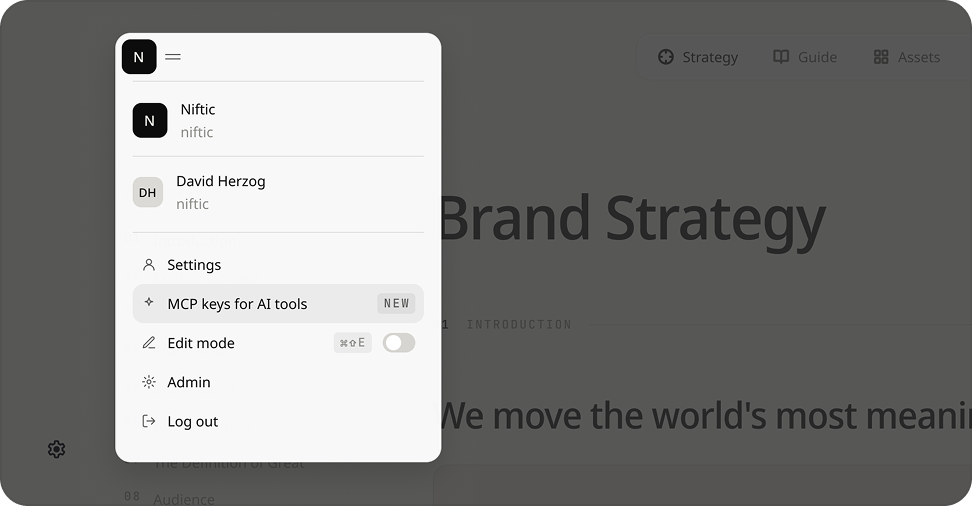
Navigate to your profile icon at the top left of the page and click into MCP keys for AI tools.
Step 02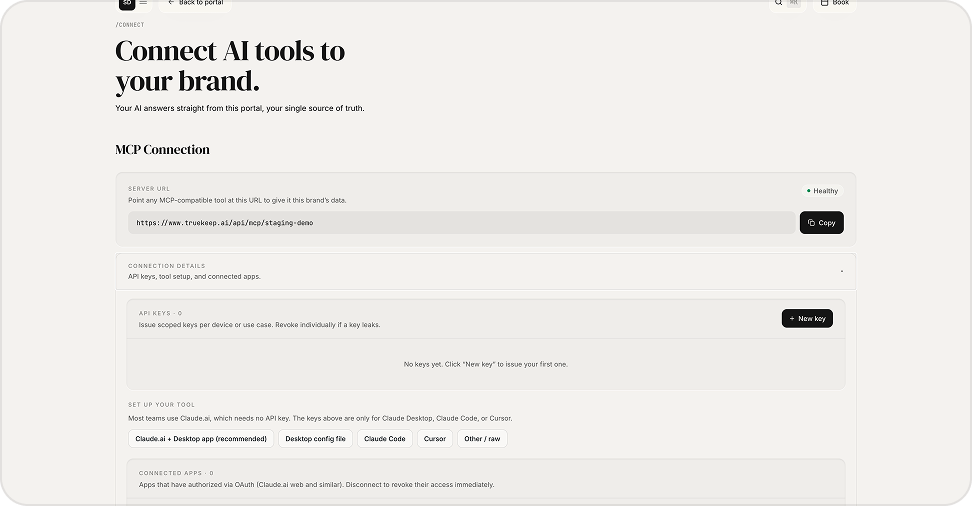
Once in the MCP page, you can either copy the MCP link into your AI tool, or go to Connection Details > Set Up Your Tool > Select preferred tool for further instructions.
Step 03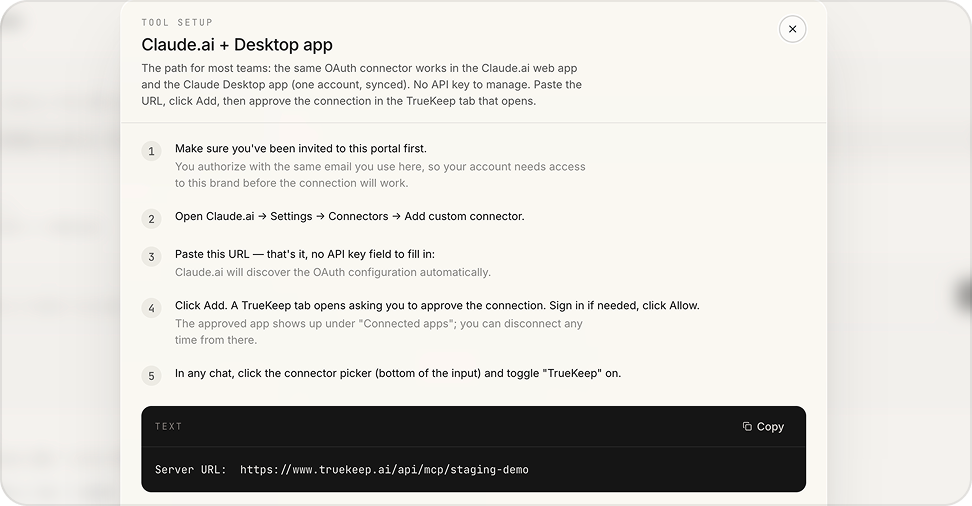
If you select your tool under Connection Details, instructions will pop up for that specific tool. For example: Claude instructions.